Category Archives: Cars

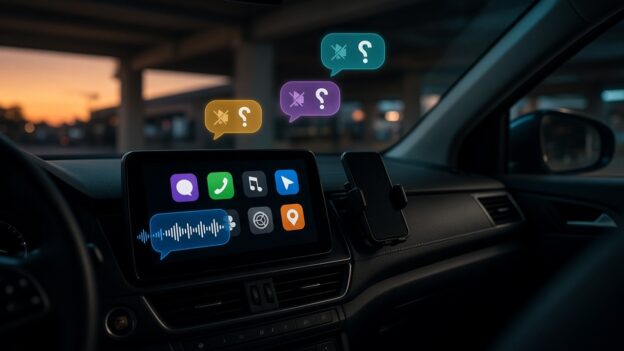
A car dashboard screen in a parking garage at dusk sends a voice message, while incoming chat bubbles with muted-speaker icons float above it, unheard.

I Can Tell Siri to Send a Facebook Messenger Message in CarPlay. It Just Won’t Read Me the Reply.

Originally published on snarky.tech.

My friends and I aren’t kids anymore. We don’t need Reels, we don’t need Marketplace, and we definitely don’t need the Facebook feed telling us what a guy from high school thinks about seed oils. What we do use, every single day, is Facebook Messenger. It’s where the group chats live. It’s how we actually talk.

And it works great, right up until I get in the car.

Why I’m still on Messenger

People keep telling me to just move everyone to WhatsApp. Here’s why I haven’t: Messenger is synced across everything I own. Phone, tablet, Mac, PC. I can have it open on all of them at once and, as far as I can tell, it doesn’t care how many. I pick up whatever device is closest and the conversation is just there.

WhatsApp does care. Its own help center says you can link “up to four devices at a time” to your primary phone, and that you still need that phone to register the account and link anything new. Leave WhatsApp unused on the phone for more than 14 days and your linked devices get logged out. (whatsapp) That’s fine for a lot of people. It’s a hassle for anyone who lives across a bunch of screens.

Sending works. Hearing doesn’t.

Here’s the part I can’t wrap my head around. In the car, I can say “Hey Siri, send a message to so-and-so on Messenger,” and it works. Meta added Siri support for sending Messenger messages and making calls back in November 2024. (macrumors) Messenger calls have shown up on CarPlay screens even longer, since 2016. (heise)

But when a friend writes back? Nothing. There’s no Messenger app on my CarPlay screen, no “read it to me,” no reply button. My message goes out into the world, and the answer lands in my pocket where I’m not supposed to be looking. That’s a one-way street with a very loud on-ramp and no exit.

Compare that with the other two messaging apps on my phone:

  • Apple Messages in CarPlay lets you hear unread messages and reply to a conversation, all by voice. (apple)
  • WhatsApp, which is also owned by Meta, launched a standalone CarPlay app in April 2026 with chat and call history and voice-dictated replies. (mashable) In July, WhatsApp refreshed it again: “hear and respond to messages, make calls, see your call history, and reach your favorites, all hands-free.” (macrumors)

So Meta knows exactly how to do this. It did it for WhatsApp. This year. Twice.

The “hack” I don’t want

The workaround people point to is an iPhone setting called Announce Notifications. Turn it on for CarPlay, and Siri will read incoming notifications out loud. (apple) Some drivers say it does read their Messenger messages this way.

I don’t want that. It’s a blunt instrument. It’s an iPhone feature reading whatever pops up on my lock screen, not Messenger actually working in my car. I’d be tuning a phone-wide setting to make up for one app that never showed up to the job. And it’s still not a real conversation: no list of chats, no picking who to hear from, none of the stuff Messages and WhatsApp just do.

This isn’t Apple’s fault (mostly)

I usually love blaming Apple. Not this time. Apple publishes exactly what a messaging app needs to work in CarPlay. Support three Siri actions: send a message, find unread messages, and mark them as read. Then get a CarPlay messaging entitlement from Apple. (apple) Apple’s own WWDC session spells out that Siri reads new incoming messages through one of those actions. (apple)

Messenger already does the first one, because that’s how sending by Siri works. The other two are the part that lets Siri read messages to you. That’s the missing piece. On Apple’s community forums, the standard answer to “why isn’t Messenger on CarPlay?” is the same every time: it’s up to Facebook to build it. (apple community)

So why won’t Meta do it?

I looked. I couldn’t find Meta ever explaining why Messenger reads nothing in CarPlay while WhatsApp reads everything. So here’s my guess, and it’s only a guess: Messenger isn’t where Meta’s attention is.

The evidence is hard to miss. Meta killed the Messenger desktop apps for Mac and Windows in December 2025 and sent people to the Facebook website instead. (techcrunch) Then it shut down messenger.com in April 2026. On a computer, Messenger now lives at facebook.com/messages. (techcrunch)

Read that again. The one Meta product people like me actually want is being folded back into the one we don’t. And the polished car experience went to WhatsApp instead.

Meta, it’s three Siri actions

I’m not asking for video calls on the dashboard or Reels at red lights. I want what Messages and WhatsApp already do:

  • Read me a new message when it comes in.
  • Let me reply by voice.
  • Put a simple Messenger icon on CarPlay with my recent chats.
  • Do it with the Siri actions Apple already publishes, not a phone-wide notification workaround.

There are a lot of us who picked Messenger precisely because it’s simple, it’s everywhere, and it doesn’t make us think about how many devices we’re allowed. We’re also the people who most want to keep our eyes on the road. Meta already lets us talk to Siri. It’s time to let Siri talk back.
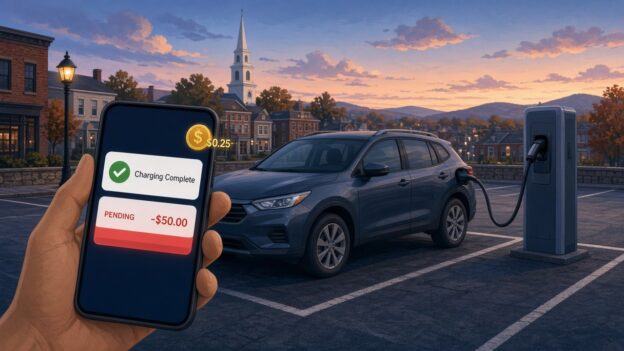
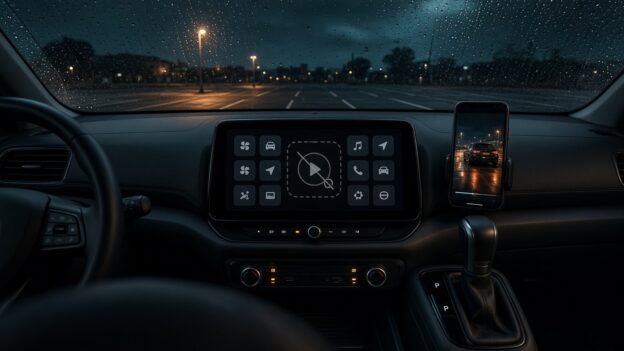
Illustration: a plug-in hybrid at a public EV charger at dusk, with a phone showing a Charging Complete alert and a $50.00 pending charge

ChargePoint Has a Great Notification System. It Just Won’t Tell You About Your Money.

Originally published on snarky.tech.

I plugged my plug-in hybrid into a ChargePoint station in the Alexion garage at 100 College Street in New Haven. Not a Tesla, not a 100 kWh battery on wheels. A plug-in hybrid, the car equivalent of a phone you top off on the way out the door. And when I looked at my account and my card afterward, I found two things the ChargePoint app never bothered to mention: a 25-cent fee, and a $50 pending charge sitting on my credit card.

To be clear up front: the $50 isn’t money ChargePoint kept. It’s a pre-authorization hold, the thing gas pumps and hotels do to make sure your card works. It drops off. But it’s $50, it used to be $25 for me, and nothing in the app told me it was coming or why it doubled. That’s the real story here. Not the money. The silence.

The 25 cents

What looks like the explanation for the quarter is ChargePoint’s own “Service Fee.” Starting in March 2026, ChargePoint began adding a per-session fee on paid sessions, on top of whatever the station owner charges. Per ChargePoint’s FAQ, it’s $0.25 for AC charging and $0.49 for DC if you have a ChargePoint account, and $0.49 / $0.99 if you’re a guest paying with a card. (chargepoint) Free sessions and zero-energy sessions are exempt.

A quarter is a quarter. I’m not starting a GoFundMe. But think about who it hits hardest. On a big EV, 25 cents disappears into a $20 session. On a plug-in hybrid, where a full charge might not cost much more than a fancy coffee, a flat per-session fee is a much bigger slice of the bill. Plug in for a short top-off and the fee can be a real percentage of what you paid for actual electricity.

Did ChargePoint announce it? Apparently, yes. There was an email to drivers, and my hometown of Guilford, just down the road, even posted a notice that ChargePoint, not the town, would be collecting the new fee at the town’s chargers. (guilford) Maybe that email is sitting in my promotions folder next to 400 offers for gutter guards. But an email in February is not the same as telling me at the moment I’m paying.

The $50 that used to be $25

Here’s the part that actually got my attention. A pending $50 charge from ChargePoint. ChargePoint’s FAQ explains that a pre-authorization is “a temporary hold placed on your payment method before a charging session begins” to confirm the card works, and that it’s “not a permanent charge.” (chargepoint) Fine. Normal. Gas stations do it.

But $50? For a plug-in hybrid? At typical public Level 2 prices, it’s hard to picture a plug-in hybrid session costing anywhere near $50. And the holds I’d seen from ChargePoint before were $25. Nothing in the app said “heads up, the hold on this session is now $50.” I found out by looking at my card.

So I went looking for the actual policy. ChargePoint publishes it, sort of, spread across a couple of FAQ pages:

  • Sessions started with a ChargePoint account: $25 hold for AC, $50 for DC. (chargepoint)
  • Sessions started without a ChargePoint account: a $50 hold. (chargepoint)
  • Releasing the hold can take up to seven business days, depending on your bank. (chargepoint)

Those account amounts don’t seem to be new, either. An archived copy of the FAQ from January 2026 shows the same $25 AC / $50 DC numbers. (wayback machine) So, as far as I can tell, ChargePoint didn’t quietly raise the published hold. Which makes the jump more confusing, not less.

So why did mine double?

I don’t know, and ChargePoint didn’t tell me. These are my best guesses from reading ChargePoint’s own rules, and they’re guesses:

  • The session didn’t count as an “account” session. ChargePoint’s guest rules apply when you pay “through other means,” like a card at the station. If the session got started or authorized some way the system treated as not-my-account, the published hold is $50 instead of $25.
  • The charger was treated as DC. The account hold is $50 for DC sessions. This is a Level 2 (AC) charger, so it shouldn’t apply, but if the system somehow classified the session as DC, $50 is the published number.
  • Something changed on the payment side. ChargePoint says its “payment processors may place” the hold. That wording leaves room for the hold to vary by processor, payment method, or wallet. Other drivers online have described seeing a different hold than the one the station showed, so I don’t think I’m the only one confused. That part is anecdotal.

Any of those could be totally legitimate. That’s not my complaint. My complaint is that I had to become a part-time ChargePoint FAQ archaeologist to figure out which one it might be.

Then came the $7 parking fee

And then, just to make sure I was paying attention, ChargePoint topped it off. On a more recent session at the same garage I never got the notification that my car was almost full. What I got instead was an email, not a push, warning me that I’d be charged if I didn’t move my car. That email showed up about an hour after the charging had already finished. By then the meter was running. I ended up paying over $7 in parking fees for about $3 worth of electricity.

Read that again. The parking penalty cost more than twice as much as the thing I came for. And the only warning arrived by the slowest channel available, an hour too late to matter.

You might say, just set a timer. I’d love to. But this is a shared Level 2 charger, so the power gets split when two cars are plugged in. If I’m alone, it charges one speed. If someone pulls in next to me, it slows down. There’s no way to predict when the car will be done, which is exactly why I need the notification to work.

And no, my car can’t cover for ChargePoint. My Jeep sends charging alerts through SiriusXM, which means a separate monthly subscription, and even then the signal doesn’t do well on the second floor of a nine-story parking garage. So the ChargePoint app is the one thing that should be telling me my car is full. It didn’t.

Could I fight the $7? Sure. In my experience, getting a human on the phone at ChargePoint takes 20 minutes or more. I’m not spending half an hour of my life to win back seven dollars, and I suspect a lot of people make the same math. That’s what makes this so annoying. ChargePoint is very good at billing me for every minute and every quarter. It just can’t seem to get one push notification to my phone on time.

The notification system is right there

This is what really bugs me. ChargePoint already has a notification system, and it’s not shy. The app can push you alerts for charge complete, charge interrupted, and receipts, and it lets you customize push and email. (chargepoint) It knows when my car stops pulling power. It knows the price. It knows how much it’s about to hold on my card. It knows whether the session counts as account or guest, AC or DC.

And yet the two things that actually involve my money, a new per-session fee and a hold that doubled, show up as fine print, a line on a receipt, or a pending charge on my bank app. ChargePoint’s advice is to check each station’s pricing in the app before you start. (chargepoint) The hold amounts, as far as I could find, live in the FAQ, not in a notification. Shown somewhere is not the same as told to me.

There’s even a bit of irony here for plug-in hybrid owners. ChargePoint’s “charging complete” alert, as other drivers have described it, is based on the car no longer drawing power, not on the car actually being full. (rav4world) So the notification system will happily ping me about my car’s battery, sometimes wrongly, but not about my credit card.

What ChargePoint should do

None of this needs new technology. It needs a few notifications they apparently haven’t thought were worth sending:

  • Tell me the hold before I plug in. “This session will place a $50 temporary hold on your card. It will be released within 7 business days.” One line on the start screen.
  • Tell me why it’s different. If the hold is $50 instead of my usual $25, say why: DC station, guest payment, whatever it is.
  • Itemize the service fee in the push, not just the receipt. “Energy: $X. Station fee: $Y. ChargePoint service fee: $0.25.”
  • Warn me before the parking fee starts, by push, on time. If I’m going to be billed for idling, the “your car is full, move it” alert needs to hit my phone when charging ends, not land in my email an hour later.
  • Send a “hold released” alert. The app tells me the second my car stops charging. It can tell me when my $50 is back.

I’m not saying ChargePoint is scamming anyone. The hold is a hold. The fee is published. On paper, it all checks out. But a notification system that can’t even tell me my car is done on time, and stays silent about what’s happening to my card, is a notification system pointed at the wrong thing.

Twenty-five cents, a temporary $50 and a $7 parking fee aren’t going to ruin my week. Finding out from my bank app instead of from ChargePoint’s app, though, is exactly the kind of small surprise that makes people trust public charging a little less. And public charging needs all the trust it can get.

A parked car dashboard screen showing a greyed-out video play button among app tiles, rain on the windshield

Apple Finally Lets You Watch Video in CarPlay. Too Bad No Car Will Let You.

Originally published on snarky.tech.

For about a decade, Apple’s answer to “can I watch video on my CarPlay screen?” was a hard no. Then, with iOS 26, Apple quietly changed its mind: AirPlay video to the CarPlay display, as long as the car is parked. With iOS 27, which came out in September, Apple went further and made video apps an official CarPlay app category, so you can browse and play shows right on the car’s screen. If you shift into drive, it drops to audio only.

Great! Finally! Sitting in the car waiting for a kid’s practice to end, parked at a charger, waiting at the airport. This is exactly what that giant dashboard screen should be good for.

Except, in practice, you can’t. Not in my car, and almost certainly not in yours. And that’s not any one car being dumb. It’s basically every car.

The fine print

Here’s the catch, straight from Apple’s own CarPlay developer page: video in the car only works if the automaker integrates “CarPlay with AirPlay video” into the vehicle, through Apple’s MFi program. (apple) Your iPhone update alone doesn’t do anything. The car has to tell iOS it’s parked, and the automaker has to certify the whole thing.

And how many automakers have signed up? As of MacRumors’ iOS 27 roundup, zero. “As of writing, no manufacturer has announced plans to support the feature.” (macrumors) I couldn’t find any announcement since then either.

So Apple shipped a headline feature, gave developers a shiny new video app category, built a demo for WWDC, and the number of cars that can actually play a video while parked is, as far as anyone can tell, none. That’s not a feature. That’s a press release with a progress bar.

What about CarPlay Ultra?

You’d think CarPlay Ultra, Apple’s next-gen, takes-over-every-screen version of CarPlay, would be where this shows up first. It’s a separate program, and it’s in even rougher shape. Ultra launched in May 2025 and, as of August 2026, was still only available in select Aston Martins, the kind with six-figure price tags. Hyundai, Kia, and Genesis were announced as committed partners back then and still hadn’t shipped it. (macrumors)

So the plan to get video into cars depends on the same automakers who’ve spent over a year not shipping Apple’s other big car feature. Inspiring.

The part that makes it extra dumb

Automakers aren’t against video in the car. They’re against Apple’s video in the car. Ford’s own Digital Experience system, for example, advertises watching YouTube and Prime Video on the touchscreen while parked, plus games and a web browser. (ford) So the screen can do it, the parked-detection exists, and the lawyers have apparently made peace with it. They just want you inside their app store, not Apple’s.

That’s the real story here. It isn’t a safety problem or a technical problem. It’s a who-owns-the-dashboard problem. Car companies see the infotainment screen as their turf and their future subscription revenue, and every Apple feature that makes their software less relevant is a feature they’re in no hurry to turn on.

Apple, push harder

Apple is not exactly shy about pushing people around. It pushes developers. It pushes carriers. It pushes accessory makers through MFi. So why does CarPlay video feel like Apple wrote the code, put it on a shelf, and politely waited for the car companies to notice?

Some things Apple could actually do:

  • Name names. Publish a list of cars that support CarPlay video, and update it. Shame works.
  • Make it boring to adopt. If an automaker already detects “parked” for its own video apps, supporting AirPlay video should be a checkbox, not a certification saga.
  • Put it in the next CarPlay certification bar for new head units instead of leaving it as an optional extra.
  • Stop demoing features at WWDC that no customer can use. Or at least say “coming to zero cars” on the slide.

I get that Apple doesn’t control the car. But Apple controls the phone that most of the people in those cars are carrying, and I’d bet plenty of buyers won’t even consider a car without CarPlay. That’s leverage. Use it.

Until then, CarPlay video while parked is the most Apple feature ever: beautifully designed, technically shipped, and completely unavailable.

New Honda S660

New keicar to be released from Honda soon.  I am pretty interested in this as a second car but I have to wonder if this will actually be marketed in the US?  Anyone have any insight on this?Honda S600