Author Archives: adachan

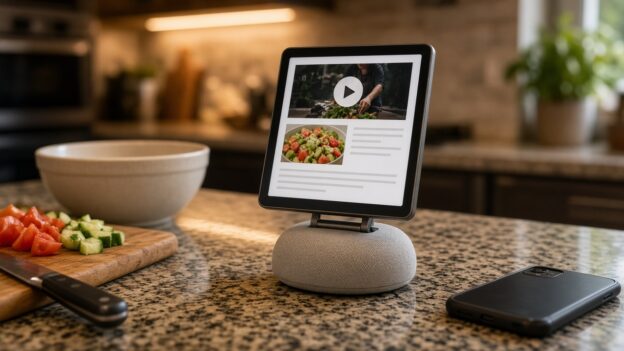
A small square-screened smart home display on a kitchen counter showing a cramped web page with a video and a recipe, next to chopped vegetables and a smartphone

Apple Built a $299 Kitchen Screen. It Can’t Run YouTube or My Recipe App.

Originally published on snarky.tech.

Apple finally made the thing a lot of us have wanted for years: a screen for the kitchen counter. It’s called HomeView (one word, and no, it’s not “HomePad” or “homeOS” like the rumors said). It has a 7-inch square display, a speaker base, Siri AI, and a $299 price tag, and it starts shipping November 13. (apple) Apple’s own press release literally calls it “the perfect addition to a kitchen counter.”

Great. So what’s the number one thing people do with a screen in the kitchen? They watch YouTube while they cook. And HomeView doesn’t have a YouTube app.

No App Store, so no YouTube

HomeView has no App Store. What you get is a list of built-in Apple apps: Alarms, Calendar, FaceTime, Find My, Home, Intercom, Messages, Music, Podcasts, Reminders, Safari, Settings, Timers, Weather, and World Clock. (apple) Third-party apps only show up if they run on your iPhone and support CarPlay. Not a HomeView app. A CarPlay app. (macrumors)

Apple’s CarPlay developer guide spells it out: CarPlay audio and video apps “also work on Apple HomeView” with no changes. (apple) That’s how Spotify gets in. The app actually runs on the phone, and HomeView basically acts as its screen. (engadget)

And here’s the catch, one I’ve already complained about: CarPlay video apps only arrived this year with iOS 27, and no automaker has announced support for them. The Apple TV app is the first confirmed one. (macrumors) So YouTube, Netflix, and Disney+ have had zero reason to build one. 9to5Mac frames HomeView as the push that might change that, “if they say yes.” (9to5mac) As of launch, Apple hasn’t named YouTube anywhere, and Engadget says flatly there’s no YouTube on CarPlay, and there won’t be on HomeView either. (engadget)

“Just use Safari” is garbage

The fallback everyone’s pointing to is Safari. HomeView does ship with a real version of Safari, and heise reports you can use it to watch YouTube or Netflix in the browser until proper apps show up. (heise) Engadget is more careful, saying Safari “likely” means you can watch web video, “but the experience isn’t the same as using an app.” (engadget)

I haven’t had my hands on one, and I haven’t pre-ordered one either, since it doesn’t ship for two more weeks. But I’ve used YouTube in a mobile browser, and I know how this goes. You get nagged to open the app. You sign in again. Your subscriptions and Watch Later are buried somewhere. And now picture doing all that on a 7-inch square screen with flour on your fingers, while a widescreen video plays letterboxed on a square display. (9to5mac)

Apple made a $299 kitchen screen, and the plan for the most popular video site on earth is “it theoretically works in a web page.” That’s not a feature. That’s a shrug.

And let me run Paprika

Here’s the part that really gets me. Apple clearly knows HomeView is a kitchen device, because it built a whole cooking feature. When you open a recipe in Safari, a “Start Cooking” button turns it into step-by-step instructions with ingredient tracking and hands-free timers. You can even hand a recipe off from your iPhone. (macrumors) The Verge’s hands-on called it a favorite feature, and that’s fair. (the verge)

But that only works for recipes on the web. AppleInsider noticed it right away: recipe apps like Crouton, NYT Cooking, or Paprika “seem to be natural fits,” but “the only recipes you can load are via Safari.” (appleinsider)

My recipes don’t live in Safari. They live in Paprika 3, where I’ve saved, edited, scaled, and organized them for years. And Paprika can’t get onto HomeView, because recipe managers aren’t on CarPlay’s app list. CarPlay’s categories are things like audio, navigation, EV charging, parking, and quick food ordering. (apple) One developer who dug into the docs points out that a recipe app simply can’t get a CarPlay entitlement, so it can’t get onto HomeView. (pantuso)

So Apple’s kitchen screen can’t run a kitchen app, because the rules were written for your car. Read that again.

What Apple should do

  • Open HomeView to real apps. It has an A18 chip (cnbc) and runs what Engadget describes as an iOS-based operating system. (engadget) It can run an app.
  • Add a kitchen category. If Apple insists on the CarPlay-style approach, at least create a recipe category so Paprika, Crouton, and NYT Cooking can show up.
  • Get YouTube on day one, or close to it. Spotify is already named as working. Apple should pick up the phone and call Google.

HomeView looks great, and honestly, the Safari cooking mode is a smart idea. But Apple built a kitchen screen and then decided the two things people most want in a kitchen, their videos and their own recipes, could just go through a web browser. For $299, I expect better than that.
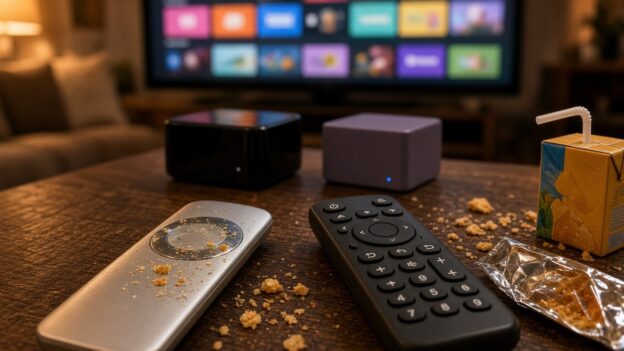
A smudged, crumb-covered silver touchpad remote next to a simple black button remote on a living room coffee table, with two generic streaming boxes and a TV full of app tiles behind them.

Everyone Loves the Apple TV. Then a Kid Picks Up the Remote.

Originally published on snarky.tech.

If you want to stream to a TV in 2026 without using whatever came baked into the TV, you’ve really got three serious choices: Roku, Apple TV, and the really great Nvidia Shield. Read almost any tech site and the verdict is the same. Apple TV is the fancy one, the fast one, the one reviewers put at the top of the list.

And I get it. The box is fast and the interface is clean. But in a house with kids, the Apple TV has one giant problem, and you hold it in your hand.

The Siri Remote is a touchpad in a house full of sticky fingers

The new Apple TV 4K comes with a new Siri Remote, and Apple says it “keeps its familiar design.” (apple) That means the same touch-enabled clickpad, where you tap to select, swipe through lists, and run your thumb around the outer ring to scrub through a video. (apple) The headline new feature is Find My, so you can locate the remote when it slides into the couch. (macrumors)

Here’s my problem. Those touch features are way too touchy. A kid picks up the remote and the show jumps ahead. A thumb rests on the pad and the menu goes flying. Add fingers that were just in a bag of crackers and it gets worse, and I end up being tech support for my own living room.

Apple’s answer is a setting. Go into Settings, then Remotes and Devices, and you can switch the clickpad to “Click Only” or slow down the touch tracking. (apple) But if the fix for your remote is turning off the remote’s main feature, maybe the main feature was the problem.

The Roku remote is the opposite. Up, down, left, right, OK, back, home. Buttons that do one thing every time, no matter whose hands are on it. Boring is exactly what you want in a remote.

So I replaced Apple’s remote

I got fed up and bought a One For All URC1110 on Amazon. It’s a replacement remote made for Apple TV. It has real buttons, Siri voice control, keys that light up when you pick it up, and it can also run your TV and sound system. One For All says it works with Apple TV HD and 4K. (one for all) It’s around $38 on Amazon as I write this, which is less than the $59 Apple now charges for a new Siri Remote. (macrumors)

It works much better. Think about that for a second. The best way I’ve found to enjoy a $299 Apple product is to throw out the part Apple designed and use a $38 remote from somebody else.

CEC: Roku just behaves a little better

HDMI-CEC is what lets your streaming box turn on the TV, switch inputs, and control your soundbar volume. When it works, it’s magic. When it doesn’t, you’re digging for the TV remote anyway.

In my experience, CEC works slightly better on Roku than on Apple TV. Not night and day, but noticeable. Roku even has a plain support page walking you through the CEC settings. (roku) The Apple TV mostly works too, but I’m clearly not the only person who has watched it turn on the TV and then pick the wrong input. (apple community)

The price no longer makes sense

Here’s where it gets silly. The new Apple TV 4K comes in one version with 128GB of storage, and it’s $299. (apple) MacRumors points out the starting price was $129 earlier this year. (macrumors) It ships November 13.

The Roku Ultra is $149.99. Roku raised it from $99.99 in July, blaming the memory shortage. (the verge) For that you get 4K with Dolby Vision and HDR10+, Dolby Atmos, Wi-Fi 6, Ethernet, a USB port, and the Voice Remote Pro, which is rechargeable, has backlit buttons, and has a lost-remote finder. (roku)

So the Apple TV is now about twice the price of the Roku Ultra, and it comes with the worse remote. Yes, the Apple TV has a faster chip and some Apple-only tricks. For what most families actually do, I can’t make that math work.

And the Shield? Still really great, and still getting software updates. (nvidia) But Nvidia stopped making the regular Shield TV and raised the Shield TV Pro to $299 in October, on hardware that dates back to 2019. (techpowerup) So the Shield is now in Apple TV price territory too.

Yes, Roku has ads

Roku isn’t perfect. It makes its money on ads, and it shows. Its big home screen redesign in May put a large ad on the screen the moment you turn it on, and it stays there while you browse. (ars technica)

But that’s basically where it lives: the home screen. Once I open an app and start watching, Roku gets out of the way. The main exception I know of is Roku’s own free Roku Channel, where Roku says it does run ads when you pause. (android authority) I can live with a billboard in the lobby. I can’t live with a remote that fast-forwards every time my kid breathes on it.

My pick

If you’re a single adult with clean hands and a big Apple setup, sure, get the Apple TV. For a family, I’d get the Roku Ultra and save $150. If you’re already on Apple TV, do yourself a favor and buy a remote with buttons. Apple makes beautiful hardware, but a remote doesn’t need to be beautiful. It just needs to work.

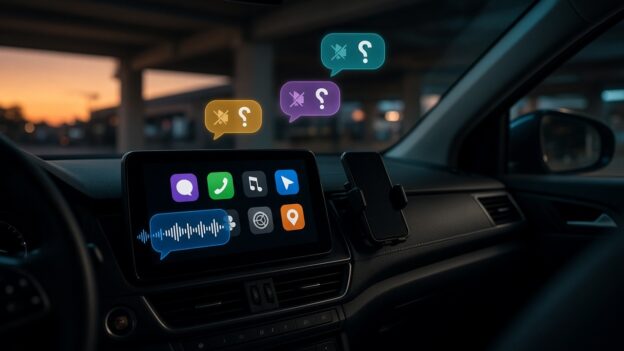
A car dashboard screen in a parking garage at dusk sends a voice message, while incoming chat bubbles with muted-speaker icons float above it, unheard.

I Can Tell Siri to Send a Facebook Messenger Message in CarPlay. It Just Won’t Read Me the Reply.

Originally published on snarky.tech.

My friends and I aren’t kids anymore. We don’t need Reels, we don’t need Marketplace, and we definitely don’t need the Facebook feed telling us what a guy from high school thinks about seed oils. What we do use, every single day, is Facebook Messenger. It’s where the group chats live. It’s how we actually talk.

And it works great, right up until I get in the car.

Why I’m still on Messenger

People keep telling me to just move everyone to WhatsApp. Here’s why I haven’t: Messenger is synced across everything I own. Phone, tablet, Mac, PC. I can have it open on all of them at once and, as far as I can tell, it doesn’t care how many. I pick up whatever device is closest and the conversation is just there.

WhatsApp does care. Its own help center says you can link “up to four devices at a time” to your primary phone, and that you still need that phone to register the account and link anything new. Leave WhatsApp unused on the phone for more than 14 days and your linked devices get logged out. (whatsapp) That’s fine for a lot of people. It’s a hassle for anyone who lives across a bunch of screens.

Sending works. Hearing doesn’t.

Here’s the part I can’t wrap my head around. In the car, I can say “Hey Siri, send a message to so-and-so on Messenger,” and it works. Meta added Siri support for sending Messenger messages and making calls back in November 2024. (macrumors) Messenger calls have shown up on CarPlay screens even longer, since 2016. (heise)

But when a friend writes back? Nothing. There’s no Messenger app on my CarPlay screen, no “read it to me,” no reply button. My message goes out into the world, and the answer lands in my pocket where I’m not supposed to be looking. That’s a one-way street with a very loud on-ramp and no exit.

Compare that with the other two messaging apps on my phone:

  • Apple Messages in CarPlay lets you hear unread messages and reply to a conversation, all by voice. (apple)
  • WhatsApp, which is also owned by Meta, launched a standalone CarPlay app in April 2026 with chat and call history and voice-dictated replies. (mashable) In July, WhatsApp refreshed it again: “hear and respond to messages, make calls, see your call history, and reach your favorites, all hands-free.” (macrumors)

So Meta knows exactly how to do this. It did it for WhatsApp. This year. Twice.

The “hack” I don’t want

The workaround people point to is an iPhone setting called Announce Notifications. Turn it on for CarPlay, and Siri will read incoming notifications out loud. (apple) Some drivers say it does read their Messenger messages this way.

I don’t want that. It’s a blunt instrument. It’s an iPhone feature reading whatever pops up on my lock screen, not Messenger actually working in my car. I’d be tuning a phone-wide setting to make up for one app that never showed up to the job. And it’s still not a real conversation: no list of chats, no picking who to hear from, none of the stuff Messages and WhatsApp just do.

This isn’t Apple’s fault (mostly)

I usually love blaming Apple. Not this time. Apple publishes exactly what a messaging app needs to work in CarPlay. Support three Siri actions: send a message, find unread messages, and mark them as read. Then get a CarPlay messaging entitlement from Apple. (apple) Apple’s own WWDC session spells out that Siri reads new incoming messages through one of those actions. (apple)

Messenger already does the first one, because that’s how sending by Siri works. The other two are the part that lets Siri read messages to you. That’s the missing piece. On Apple’s community forums, the standard answer to “why isn’t Messenger on CarPlay?” is the same every time: it’s up to Facebook to build it. (apple community)

So why won’t Meta do it?

I looked. I couldn’t find Meta ever explaining why Messenger reads nothing in CarPlay while WhatsApp reads everything. So here’s my guess, and it’s only a guess: Messenger isn’t where Meta’s attention is.

The evidence is hard to miss. Meta killed the Messenger desktop apps for Mac and Windows in December 2025 and sent people to the Facebook website instead. (techcrunch) Then it shut down messenger.com in April 2026. On a computer, Messenger now lives at facebook.com/messages. (techcrunch)

Read that again. The one Meta product people like me actually want is being folded back into the one we don’t. And the polished car experience went to WhatsApp instead.

Meta, it’s three Siri actions

I’m not asking for video calls on the dashboard or Reels at red lights. I want what Messages and WhatsApp already do:

  • Read me a new message when it comes in.
  • Let me reply by voice.
  • Put a simple Messenger icon on CarPlay with my recent chats.
  • Do it with the Siri actions Apple already publishes, not a phone-wide notification workaround.

There are a lot of us who picked Messenger precisely because it’s simple, it’s everywhere, and it doesn’t make us think about how many devices we’re allowed. We’re also the people who most want to keep our eyes on the road. Meta already lets us talk to Siri. It’s time to let Siri talk back.

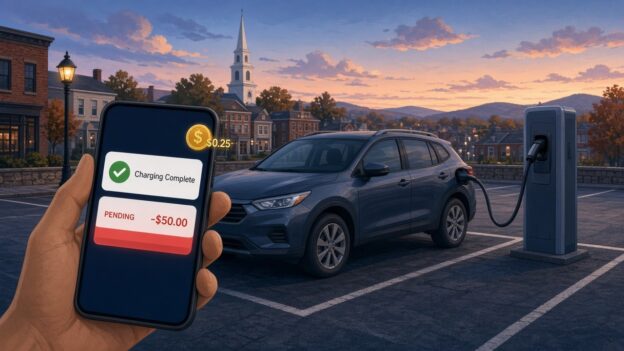
Illustration: a plug-in hybrid at a public EV charger at dusk, with a phone showing a Charging Complete alert and a $50.00 pending charge

ChargePoint Has a Great Notification System. It Just Won’t Tell You About Your Money.

Originally published on snarky.tech.

I plugged my plug-in hybrid into a ChargePoint station in the Alexion garage at 100 College Street in New Haven. Not a Tesla, not a 100 kWh battery on wheels. A plug-in hybrid, the car equivalent of a phone you top off on the way out the door. And when I looked at my account and my card afterward, I found two things the ChargePoint app never bothered to mention: a 25-cent fee, and a $50 pending charge sitting on my credit card.

To be clear up front: the $50 isn’t money ChargePoint kept. It’s a pre-authorization hold, the thing gas pumps and hotels do to make sure your card works. It drops off. But it’s $50, it used to be $25 for me, and nothing in the app told me it was coming or why it doubled. That’s the real story here. Not the money. The silence.

The 25 cents

What looks like the explanation for the quarter is ChargePoint’s own “Service Fee.” Starting in March 2026, ChargePoint began adding a per-session fee on paid sessions, on top of whatever the station owner charges. Per ChargePoint’s FAQ, it’s $0.25 for AC charging and $0.49 for DC if you have a ChargePoint account, and $0.49 / $0.99 if you’re a guest paying with a card. (chargepoint) Free sessions and zero-energy sessions are exempt.

A quarter is a quarter. I’m not starting a GoFundMe. But think about who it hits hardest. On a big EV, 25 cents disappears into a $20 session. On a plug-in hybrid, where a full charge might not cost much more than a fancy coffee, a flat per-session fee is a much bigger slice of the bill. Plug in for a short top-off and the fee can be a real percentage of what you paid for actual electricity.

Did ChargePoint announce it? Apparently, yes. There was an email to drivers, and my hometown of Guilford, just down the road, even posted a notice that ChargePoint, not the town, would be collecting the new fee at the town’s chargers. (guilford) Maybe that email is sitting in my promotions folder next to 400 offers for gutter guards. But an email in February is not the same as telling me at the moment I’m paying.

The $50 that used to be $25

Here’s the part that actually got my attention. A pending $50 charge from ChargePoint. ChargePoint’s FAQ explains that a pre-authorization is “a temporary hold placed on your payment method before a charging session begins” to confirm the card works, and that it’s “not a permanent charge.” (chargepoint) Fine. Normal. Gas stations do it.

But $50? For a plug-in hybrid? At typical public Level 2 prices, it’s hard to picture a plug-in hybrid session costing anywhere near $50. And the holds I’d seen from ChargePoint before were $25. Nothing in the app said “heads up, the hold on this session is now $50.” I found out by looking at my card.

So I went looking for the actual policy. ChargePoint publishes it, sort of, spread across a couple of FAQ pages:

  • Sessions started with a ChargePoint account: $25 hold for AC, $50 for DC. (chargepoint)
  • Sessions started without a ChargePoint account: a $50 hold. (chargepoint)
  • Releasing the hold can take up to seven business days, depending on your bank. (chargepoint)

Those account amounts don’t seem to be new, either. An archived copy of the FAQ from January 2026 shows the same $25 AC / $50 DC numbers. (wayback machine) So, as far as I can tell, ChargePoint didn’t quietly raise the published hold. Which makes the jump more confusing, not less.

So why did mine double?

I don’t know, and ChargePoint didn’t tell me. These are my best guesses from reading ChargePoint’s own rules, and they’re guesses:

  • The session didn’t count as an “account” session. ChargePoint’s guest rules apply when you pay “through other means,” like a card at the station. If the session got started or authorized some way the system treated as not-my-account, the published hold is $50 instead of $25.
  • The charger was treated as DC. The account hold is $50 for DC sessions. This is a Level 2 (AC) charger, so it shouldn’t apply, but if the system somehow classified the session as DC, $50 is the published number.
  • Something changed on the payment side. ChargePoint says its “payment processors may place” the hold. That wording leaves room for the hold to vary by processor, payment method, or wallet. Other drivers online have described seeing a different hold than the one the station showed, so I don’t think I’m the only one confused. That part is anecdotal.

Any of those could be totally legitimate. That’s not my complaint. My complaint is that I had to become a part-time ChargePoint FAQ archaeologist to figure out which one it might be.

Then came the $7 parking fee

And then, just to make sure I was paying attention, ChargePoint topped it off. On a more recent session at the same garage I never got the notification that my car was almost full. What I got instead was an email, not a push, warning me that I’d be charged if I didn’t move my car. That email showed up about an hour after the charging had already finished. By then the meter was running. I ended up paying over $7 in parking fees for about $3 worth of electricity.

Read that again. The parking penalty cost more than twice as much as the thing I came for. And the only warning arrived by the slowest channel available, an hour too late to matter.

You might say, just set a timer. I’d love to. But this is a shared Level 2 charger, so the power gets split when two cars are plugged in. If I’m alone, it charges one speed. If someone pulls in next to me, it slows down. There’s no way to predict when the car will be done, which is exactly why I need the notification to work.

And no, my car can’t cover for ChargePoint. My Jeep sends charging alerts through SiriusXM, which means a separate monthly subscription, and even then the signal doesn’t do well on the second floor of a nine-story parking garage. So the ChargePoint app is the one thing that should be telling me my car is full. It didn’t.

Could I fight the $7? Sure. In my experience, getting a human on the phone at ChargePoint takes 20 minutes or more. I’m not spending half an hour of my life to win back seven dollars, and I suspect a lot of people make the same math. That’s what makes this so annoying. ChargePoint is very good at billing me for every minute and every quarter. It just can’t seem to get one push notification to my phone on time.

The notification system is right there

This is what really bugs me. ChargePoint already has a notification system, and it’s not shy. The app can push you alerts for charge complete, charge interrupted, and receipts, and it lets you customize push and email. (chargepoint) It knows when my car stops pulling power. It knows the price. It knows how much it’s about to hold on my card. It knows whether the session counts as account or guest, AC or DC.

And yet the two things that actually involve my money, a new per-session fee and a hold that doubled, show up as fine print, a line on a receipt, or a pending charge on my bank app. ChargePoint’s advice is to check each station’s pricing in the app before you start. (chargepoint) The hold amounts, as far as I could find, live in the FAQ, not in a notification. Shown somewhere is not the same as told to me.

There’s even a bit of irony here for plug-in hybrid owners. ChargePoint’s “charging complete” alert, as other drivers have described it, is based on the car no longer drawing power, not on the car actually being full. (rav4world) So the notification system will happily ping me about my car’s battery, sometimes wrongly, but not about my credit card.

What ChargePoint should do

None of this needs new technology. It needs a few notifications they apparently haven’t thought were worth sending:

  • Tell me the hold before I plug in. “This session will place a $50 temporary hold on your card. It will be released within 7 business days.” One line on the start screen.
  • Tell me why it’s different. If the hold is $50 instead of my usual $25, say why: DC station, guest payment, whatever it is.
  • Itemize the service fee in the push, not just the receipt. “Energy: $X. Station fee: $Y. ChargePoint service fee: $0.25.”
  • Warn me before the parking fee starts, by push, on time. If I’m going to be billed for idling, the “your car is full, move it” alert needs to hit my phone when charging ends, not land in my email an hour later.
  • Send a “hold released” alert. The app tells me the second my car stops charging. It can tell me when my $50 is back.

I’m not saying ChargePoint is scamming anyone. The hold is a hold. The fee is published. On paper, it all checks out. But a notification system that can’t even tell me my car is done on time, and stays silent about what’s happening to my card, is a notification system pointed at the wrong thing.

Twenty-five cents, a temporary $50 and a $7 parking fee aren’t going to ruin my week. Finding out from my bank app instead of from ChargePoint’s app, though, is exactly the kind of small surprise that makes people trust public charging a little less. And public charging needs all the trust it can get.

A friendly glowing robot assistant arranging floating web page cards above a laptop, with a brain scan motif and a soccer ball on the desk

My Website Was a Fossil. Grok Bot Made It Fun Again.

Originally published on snarky.tech.

Confession: my personal website, adamnoah.com, had become a fossil. The kind of site you keep paying hosting for out of guilt, where every update is filed under “I’ll get to that this weekend.”

I’ve been using Grok Bot, an AI desktop assistant, for a while now, and I finally pointed it at the fossil. I expected a chatbot that tells me how to fix my site. What I got was something that actually went and did it, then showed me what it changed.

What it actually did

No hype, just the list. These are real things it did on my sites:

  • Publications. It took my long-form CV, a Word doc that had grown into a monster, and turned it into a modern Publications page, looking up a DOI link for every paper. Along the way it caught inconsistencies in my CV and checked conference meeting numbers against sources instead of trusting past me. Past me was not reliable.
  • Bio. It wrote a new Bio page and kept the age-revealing dates off. Vanity is a valid requirement.
  • Home page. It rebuilt the home page from my photos, a looping lab video, and a short synopsis I gave it. That’s it. I didn’t hand it a design spec.
  • Sports. It created a Sports section and a Pre-ECNL page for my daughter’s soccer team that pulls real standings and results, and refreshes on its own every Sunday night. No made-up numbers. It was weirdly strict about that.
  • Ads. It set up AdSense on adamnoah.com and on this site, snarky.tech, and in the process found that the ads.txt file on both sites had the wrong publisher ID. Which is the kind of thing that quietly costs you money for who knows how long.
  • This blog. It’s now drafting snarky.tech posts, featured images included, which I then review, argue with, and edit before anything goes live.

The part I didn’t expect: it backs things up before it changes them, it takes screenshots to check its own work, and when something on a site was outside what it could safely fix, it told me instead of doing something clever and terrifying.

The work side

My day job is neuroscience at Yale, which comes with an impressive amount of not-neuroscience. Grok Bot helps with things like drafting, data wrangling, keeping CVs and grant materials organized, and generally reducing the number of browser tabs I have open at 11 PM.

I also run a few specialized bots for specific jobs. One converts fNIRS, fMRI, and EEG data into NWB format for sharing on DANDI. There’s a grants bot and a paper bot. They’re not magic, and I still check everything, but the boring, error-prone parts of research data handling are exactly where this stuff shines.

The snark section

Is it perfect? No. You still have to know what you want, read what it did, and say “no, not like that” sometimes. If you don’t know what a DOI or an ads.txt file is, it’ll happily explain, but you’re still the one approving the changes. That’s a feature. I don’t want an assistant that publishes things to my site without asking.

But compared with years of “I’ll get to that this weekend”? My website is fun again. I actually want to work on it, which is a sentence I did not expect to type.

Transparency note: posts on this site, including this one, are now drafted with help from Grok Bot. I review and edit them before they’re published, and the opinions (and the snark) are mine.

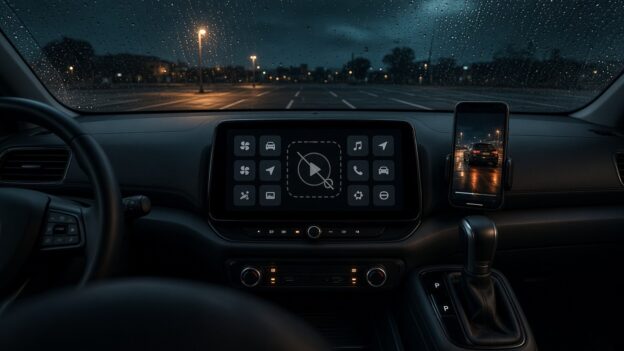
A parked car dashboard screen showing a greyed-out video play button among app tiles, rain on the windshield

Apple Finally Lets You Watch Video in CarPlay. Too Bad No Car Will Let You.

Originally published on snarky.tech.

For about a decade, Apple’s answer to “can I watch video on my CarPlay screen?” was a hard no. Then, with iOS 26, Apple quietly changed its mind: AirPlay video to the CarPlay display, as long as the car is parked. With iOS 27, which came out in September, Apple went further and made video apps an official CarPlay app category, so you can browse and play shows right on the car’s screen. If you shift into drive, it drops to audio only.

Great! Finally! Sitting in the car waiting for a kid’s practice to end, parked at a charger, waiting at the airport. This is exactly what that giant dashboard screen should be good for.

Except, in practice, you can’t. Not in my car, and almost certainly not in yours. And that’s not any one car being dumb. It’s basically every car.

The fine print

Here’s the catch, straight from Apple’s own CarPlay developer page: video in the car only works if the automaker integrates “CarPlay with AirPlay video” into the vehicle, through Apple’s MFi program. (apple) Your iPhone update alone doesn’t do anything. The car has to tell iOS it’s parked, and the automaker has to certify the whole thing.

And how many automakers have signed up? As of MacRumors’ iOS 27 roundup, zero. “As of writing, no manufacturer has announced plans to support the feature.” (macrumors) I couldn’t find any announcement since then either.

So Apple shipped a headline feature, gave developers a shiny new video app category, built a demo for WWDC, and the number of cars that can actually play a video while parked is, as far as anyone can tell, none. That’s not a feature. That’s a press release with a progress bar.

What about CarPlay Ultra?

You’d think CarPlay Ultra, Apple’s next-gen, takes-over-every-screen version of CarPlay, would be where this shows up first. It’s a separate program, and it’s in even rougher shape. Ultra launched in May 2025 and, as of August 2026, was still only available in select Aston Martins, the kind with six-figure price tags. Hyundai, Kia, and Genesis were announced as committed partners back then and still hadn’t shipped it. (macrumors)

So the plan to get video into cars depends on the same automakers who’ve spent over a year not shipping Apple’s other big car feature. Inspiring.

The part that makes it extra dumb

Automakers aren’t against video in the car. They’re against Apple’s video in the car. Ford’s own Digital Experience system, for example, advertises watching YouTube and Prime Video on the touchscreen while parked, plus games and a web browser. (ford) So the screen can do it, the parked-detection exists, and the lawyers have apparently made peace with it. They just want you inside their app store, not Apple’s.

That’s the real story here. It isn’t a safety problem or a technical problem. It’s a who-owns-the-dashboard problem. Car companies see the infotainment screen as their turf and their future subscription revenue, and every Apple feature that makes their software less relevant is a feature they’re in no hurry to turn on.

Apple, push harder

Apple is not exactly shy about pushing people around. It pushes developers. It pushes carriers. It pushes accessory makers through MFi. So why does CarPlay video feel like Apple wrote the code, put it on a shelf, and politely waited for the car companies to notice?

Some things Apple could actually do:

  • Name names. Publish a list of cars that support CarPlay video, and update it. Shame works.
  • Make it boring to adopt. If an automaker already detects “parked” for its own video apps, supporting AirPlay video should be a checkbox, not a certification saga.
  • Put it in the next CarPlay certification bar for new head units instead of leaving it as an optional extra.
  • Stop demoing features at WWDC that no customer can use. Or at least say “coming to zero cars” on the slide.

I get that Apple doesn’t control the car. But Apple controls the phone that most of the people in those cars are carrying, and I’d bet plenty of buyers won’t even consider a car without CarPlay. That’s leverage. Use it.

Until then, CarPlay video while parked is the most Apple feature ever: beautifully designed, technically shipped, and completely unavailable.

A blocky voxel world spanning an iPhone and iPad, stopping at the edge of a Mac laptop whose screen shows a padlock

Minecraft Bedrock Runs Great on My iPhone and iPad. My Mac? Apple Lets Microsoft Say No.

Originally published on snarky.tech.

The iPhone Duo is finally out, Apple’s first foldable, starting at a cool $1,999, and the internet has already found its favorite complaint: the apps. A big, beautiful folding screen, and a bunch of third-party apps that show up on that gorgeous inner screen letterboxed with black bars like it’s a DVD from 2004. Reviewers called out apps like Telegram and Disney Plus as not optimized yet, and Engadget’s Sam Rutherford summed it up: “The difference between optimized and unoptimized apps is the biggest growing pain you’ll face on Apple’s first foldable.” (via tom’s guide)

Fine. New form factor, developers need time, Apple says devs are “rapidly updating” their apps. I get it. But it got me thinking about an app support problem that isn’t new at all, that Apple could have fixed years ago, and that got a lot dumber this week.

Exhibit A: Minecraft

Minecraft Bedrock Edition runs great on my iPhone. It runs great on my iPad. Touch controls, controller support, the Marketplace, Realms, all of it. And most importantly, Bedrock is the version that lets you play with your friends on Xbox, Switch, PlayStation, Windows, and phones.

Now sit down at a Mac. You get Minecraft: Java Edition. Java is a perfectly good game, the modding scene is legendary, but its cross-play is Windows, Mac, and Linux Java players only. Bedrock cross-play is Windows, Xbox, Switch, PlayStation, and mobile. The two don’t talk to each other. Mojang spells it out on its own help pages.

So the kid with the iPad can jump into a world with their cousin on a Switch. The same kid on a Mac, signed into the same Microsoft account, cannot. Same company, same game, same family of Apple chips. Different answer.

And this isn’t a hardware problem. Things are bad enough that a fan developer has been working on an unofficial project called Blockintosh to get Bedrock running on Apple silicon Macs, because apparently Apple and the company that owns Xbox couldn’t sort it out between them.

The checkbox that ruins everything

Here’s the part that drives me nuts. Ever since the M1, Apple silicon Macs can run iPhone and iPad apps straight from the Mac App Store. No port, no rewrite. Apple’s own developer documentation says these apps “use the same frameworks, resources, and runtime environments” as they do on iOS and iPadOS, and they show up on the Mac by default. Unless the developer goes into App Store Connect and unchecks “Make this app available.” (Apple’s developer docs)

That’s it. That’s the wall. A checkbox.

Minecraft’s iPhone and iPad app doesn’t show up for Apple silicon Macs in the Mac App Store. Given that the default is “available,” that pretty strongly suggests someone on the Minecraft side unchecked the box. Microsoft hasn’t said why, as far as I can find. People have literally posted on Minecraft’s own feedback site asking them to just flip it back on.

Is the iPad version a perfect Mac game? No. It’d need decent keyboard and mouse support to feel right. But “not perfect” beats “not allowed,” and Mojang already has keyboard and mouse controls in the Windows version of Bedrock. They know how.

And now the Mac has a touchscreen

This week Apple announced the MacBook Pro with a PROLED XDR display. Yes, a touchscreen Mac. After years of Apple people telling us touchscreens on laptops were a bad idea, here we are. It starts at $2,899 for the 14-inch, ships November 6, and Apple says “macOS automatically translates touches into clicks.” (apple newsroom)

Think about that. The single biggest argument against iPad apps on the Mac was “these are touch apps, and the Mac doesn’t have touch.” Well, now it does. Apple just built the ideal machine for running iPhone and iPad apps, and developers can still say “nope, not on that one.”

So I can tap my way around macOS on a $2,899 laptop, but I can’t tap my way around the Minecraft app I already paid for on my iPad. Cool. Very Pro.

Apple should make it the rule

Apple loves telling developers what they have to do. Use our payment system. Follow our design rules. Support the latest screen sizes. Apple even made a “Made for iPhone Duo” badge to nudge developers to optimize for the foldable. So here’s a rule I’d actually like to see:

  • If your app runs on iPhone and iPad, it runs on Apple silicon Macs too. No opt-out checkbox.
  • If it genuinely doesn’t work on the Mac, fix it or ship a real Mac version. Apple already lets a Mac version replace the iPad one in the store.
  • Give developers a “works with touch Mac” badge and actually promote the apps that do it right.

I know the counter arguments. Some developers don’t want to support another platform. Some apps rely on hardware the Mac doesn’t have, like cellular or the rear camera. Some companies have a separate Mac app they want to sell. Fine, carve out the edge cases. But “we’d rather you buy a different version of our game” or “we just didn’t feel like it” isn’t an edge case.

It’s one chip family, one App Store, and now one touchscreen. Why can’t I run ALL my apps on my Mac? Apple, you built the hardware. Finish the job.

MLS NEXT U13 New England Standings – Oct 26, 2026

MLS NEXT Academy Division, U13 New England conference, standings as of Monday, October 26, 2026. A win is 3 points and a draw is 1 point. Teams are ranked by points per game (PPG), since they have played different numbers of games.

# Team GP W L D GF GA GD Pts PPG
1 NEFC 6 6 0 0 26 7 +19 18 3.00
2 IFA West 3 3 0 0 18 4 +14 9 3.00
3 FC Greater Boston Bolts 5 4 0 1 13 4 +9 13 2.60
4 New England Surf SC 5 3 1 1 20 8 +12 10 2.00
5 New York Elite Alleycats FC 5 3 1 1 13 3 +10 10 2.00
6 Ginga FC 3 2 1 0 14 10 +4 6 2.00
7 FC Greater Boston Bolts Metro North 5 3 2 0 13 13 0 9 1.80
8 Intercontinental Football Academy of New England 5 2 1 2 14 9 +5 8 1.60
9 Syracuse Development Academy 6 3 3 0 11 8 +3 9 1.50
10 Seacoast United Bedford 6 2 2 2 8 5 +3 8 1.33
11 Seacoast United Mass 6 2 2 2 19 17 +2 8 1.33
12 New England Force 4 1 1 2 16 11 +5 5 1.25
13 Bayside FC 6 2 3 1 14 15 -1 7 1.17
14 New York Rush 6 2 3 1 14 19 -5 7 1.17
15 Vale Rush United 4 1 3 0 13 12 +1 3 0.75
16 NEFC South 5 1 4 0 8 35 -27 3 0.60
17 Rhode Island Surf SC 5 0 4 1 8 20 -12 1 0.20
18 FC North 4 0 4 0 3 14 -11 0 0.00
19 Valeo Futbol Club 5 0 5 0 5 36 -31 0 0.00

Source: league match scores, league games only. Games without a posted score are not counted.