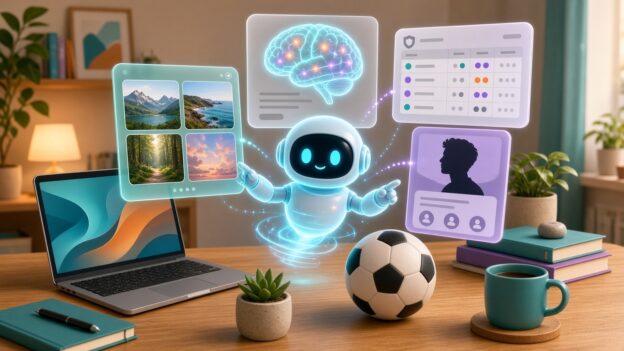
A friendly glowing robot assistant arranging floating web page cards above a laptop, with a brain scan motif and a soccer ball on the desk

My Website Was a Fossil. Grok Bot Made It Fun Again.

Originally published on snarky.tech.

Confession: my personal website, adamnoah.com, had become a fossil. The kind of site you keep paying hosting for out of guilt, where every update is filed under “I’ll get to that this weekend.”

I’ve been using Grok Bot, an AI desktop assistant, for a while now, and I finally pointed it at the fossil. I expected a chatbot that tells me how to fix my site. What I got was something that actually went and did it, then showed me what it changed.

What it actually did

No hype, just the list. These are real things it did on my sites:

  • Publications. It took my long-form CV, a Word doc that had grown into a monster, and turned it into a modern Publications page, looking up a DOI link for every paper. Along the way it caught inconsistencies in my CV and checked conference meeting numbers against sources instead of trusting past me. Past me was not reliable.
  • Bio. It wrote a new Bio page and kept the age-revealing dates off. Vanity is a valid requirement.
  • Home page. It rebuilt the home page from my photos, a looping lab video, and a short synopsis I gave it. That’s it. I didn’t hand it a design spec.
  • Sports. It created a Sports section and a Pre-ECNL page for my daughter’s soccer team that pulls real standings and results, and refreshes on its own every Sunday night. No made-up numbers. It was weirdly strict about that.
  • Ads. It set up AdSense on adamnoah.com and on this site, snarky.tech, and in the process found that the ads.txt file on both sites had the wrong publisher ID. Which is the kind of thing that quietly costs you money for who knows how long.
  • This blog. It’s now drafting snarky.tech posts, featured images included, which I then review, argue with, and edit before anything goes live.

The part I didn’t expect: it backs things up before it changes them, it takes screenshots to check its own work, and when something on a site was outside what it could safely fix, it told me instead of doing something clever and terrifying.

The work side

My day job is neuroscience at Yale, which comes with an impressive amount of not-neuroscience. Grok Bot helps with things like drafting, data wrangling, keeping CVs and grant materials organized, and generally reducing the number of browser tabs I have open at 11 PM.

I also run a few specialized bots for specific jobs. One converts fNIRS, fMRI, and EEG data into NWB format for sharing on DANDI. There’s a grants bot and a paper bot. They’re not magic, and I still check everything, but the boring, error-prone parts of research data handling are exactly where this stuff shines.

The snark section

Is it perfect? No. You still have to know what you want, read what it did, and say “no, not like that” sometimes. If you don’t know what a DOI or an ads.txt file is, it’ll happily explain, but you’re still the one approving the changes. That’s a feature. I don’t want an assistant that publishes things to my site without asking.

But compared with years of “I’ll get to that this weekend”? My website is fun again. I actually want to work on it, which is a sentence I did not expect to type.

Transparency note: posts on this site, including this one, are now drafted with help from Grok Bot. I review and edit them before they’re published, and the opinions (and the snark) are mine.
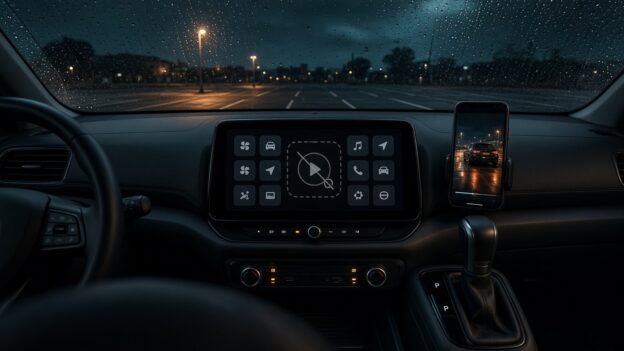

A parked car dashboard screen showing a greyed-out video play button among app tiles, rain on the windshield

Apple Finally Lets You Watch Video in CarPlay. Too Bad No Car Will Let You.

Originally published on snarky.tech.

For about a decade, Apple’s answer to “can I watch video on my CarPlay screen?” was a hard no. Then, with iOS 26, Apple quietly changed its mind: AirPlay video to the CarPlay display, as long as the car is parked. With iOS 27, which came out in September, Apple went further and made video apps an official CarPlay app category, so you can browse and play shows right on the car’s screen. If you shift into drive, it drops to audio only.

Great! Finally! Sitting in the car waiting for a kid’s practice to end, parked at a charger, waiting at the airport. This is exactly what that giant dashboard screen should be good for.

Except, in practice, you can’t. Not in my car, and almost certainly not in yours. And that’s not any one car being dumb. It’s basically every car.

The fine print

Here’s the catch, straight from Apple’s own CarPlay developer page: video in the car only works if the automaker integrates “CarPlay with AirPlay video” into the vehicle, through Apple’s MFi program. (apple) Your iPhone update alone doesn’t do anything. The car has to tell iOS it’s parked, and the automaker has to certify the whole thing.

And how many automakers have signed up? As of MacRumors’ iOS 27 roundup, zero. “As of writing, no manufacturer has announced plans to support the feature.” (macrumors) I couldn’t find any announcement since then either.

So Apple shipped a headline feature, gave developers a shiny new video app category, built a demo for WWDC, and the number of cars that can actually play a video while parked is, as far as anyone can tell, none. That’s not a feature. That’s a press release with a progress bar.

What about CarPlay Ultra?

You’d think CarPlay Ultra, Apple’s next-gen, takes-over-every-screen version of CarPlay, would be where this shows up first. It’s a separate program, and it’s in even rougher shape. Ultra launched in May 2025 and, as of August 2026, was still only available in select Aston Martins, the kind with six-figure price tags. Hyundai, Kia, and Genesis were announced as committed partners back then and still hadn’t shipped it. (macrumors)

So the plan to get video into cars depends on the same automakers who’ve spent over a year not shipping Apple’s other big car feature. Inspiring.

The part that makes it extra dumb

Automakers aren’t against video in the car. They’re against Apple’s video in the car. Ford’s own Digital Experience system, for example, advertises watching YouTube and Prime Video on the touchscreen while parked, plus games and a web browser. (ford) So the screen can do it, the parked-detection exists, and the lawyers have apparently made peace with it. They just want you inside their app store, not Apple’s.

That’s the real story here. It isn’t a safety problem or a technical problem. It’s a who-owns-the-dashboard problem. Car companies see the infotainment screen as their turf and their future subscription revenue, and every Apple feature that makes their software less relevant is a feature they’re in no hurry to turn on.

Apple, push harder

Apple is not exactly shy about pushing people around. It pushes developers. It pushes carriers. It pushes accessory makers through MFi. So why does CarPlay video feel like Apple wrote the code, put it on a shelf, and politely waited for the car companies to notice?

Some things Apple could actually do:

  • Name names. Publish a list of cars that support CarPlay video, and update it. Shame works.
  • Make it boring to adopt. If an automaker already detects “parked” for its own video apps, supporting AirPlay video should be a checkbox, not a certification saga.
  • Put it in the next CarPlay certification bar for new head units instead of leaving it as an optional extra.
  • Stop demoing features at WWDC that no customer can use. Or at least say “coming to zero cars” on the slide.

I get that Apple doesn’t control the car. But Apple controls the phone that most of the people in those cars are carrying, and I’d bet plenty of buyers won’t even consider a car without CarPlay. That’s leverage. Use it.

Until then, CarPlay video while parked is the most Apple feature ever: beautifully designed, technically shipped, and completely unavailable.

A blocky voxel world spanning an iPhone and iPad, stopping at the edge of a Mac laptop whose screen shows a padlock

Minecraft Bedrock Runs Great on My iPhone and iPad. My Mac? Apple Lets Microsoft Say No.

Originally published on snarky.tech.

The iPhone Duo is finally out, Apple’s first foldable, starting at a cool $1,999, and the internet has already found its favorite complaint: the apps. A big, beautiful folding screen, and a bunch of third-party apps that show up on that gorgeous inner screen letterboxed with black bars like it’s a DVD from 2004. Reviewers called out apps like Telegram and Disney Plus as not optimized yet, and Engadget’s Sam Rutherford summed it up: “The difference between optimized and unoptimized apps is the biggest growing pain you’ll face on Apple’s first foldable.” (via tom’s guide)

Fine. New form factor, developers need time, Apple says devs are “rapidly updating” their apps. I get it. But it got me thinking about an app support problem that isn’t new at all, that Apple could have fixed years ago, and that got a lot dumber this week.

Exhibit A: Minecraft

Minecraft Bedrock Edition runs great on my iPhone. It runs great on my iPad. Touch controls, controller support, the Marketplace, Realms, all of it. And most importantly, Bedrock is the version that lets you play with your friends on Xbox, Switch, PlayStation, Windows, and phones.

Now sit down at a Mac. You get Minecraft: Java Edition. Java is a perfectly good game, the modding scene is legendary, but its cross-play is Windows, Mac, and Linux Java players only. Bedrock cross-play is Windows, Xbox, Switch, PlayStation, and mobile. The two don’t talk to each other. Mojang spells it out on its own help pages.

So the kid with the iPad can jump into a world with their cousin on a Switch. The same kid on a Mac, signed into the same Microsoft account, cannot. Same company, same game, same family of Apple chips. Different answer.

And this isn’t a hardware problem. Things are bad enough that a fan developer has been working on an unofficial project called Blockintosh to get Bedrock running on Apple silicon Macs, because apparently Apple and the company that owns Xbox couldn’t sort it out between them.

The checkbox that ruins everything

Here’s the part that drives me nuts. Ever since the M1, Apple silicon Macs can run iPhone and iPad apps straight from the Mac App Store. No port, no rewrite. Apple’s own developer documentation says these apps “use the same frameworks, resources, and runtime environments” as they do on iOS and iPadOS, and they show up on the Mac by default. Unless the developer goes into App Store Connect and unchecks “Make this app available.” (Apple’s developer docs)

That’s it. That’s the wall. A checkbox.

Minecraft’s iPhone and iPad app doesn’t show up for Apple silicon Macs in the Mac App Store. Given that the default is “available,” that pretty strongly suggests someone on the Minecraft side unchecked the box. Microsoft hasn’t said why, as far as I can find. People have literally posted on Minecraft’s own feedback site asking them to just flip it back on.

Is the iPad version a perfect Mac game? No. It’d need decent keyboard and mouse support to feel right. But “not perfect” beats “not allowed,” and Mojang already has keyboard and mouse controls in the Windows version of Bedrock. They know how.

And now the Mac has a touchscreen

This week Apple announced the MacBook Pro with a PROLED XDR display. Yes, a touchscreen Mac. After years of Apple people telling us touchscreens on laptops were a bad idea, here we are. It starts at $2,899 for the 14-inch, ships November 6, and Apple says “macOS automatically translates touches into clicks.” (apple newsroom)

Think about that. The single biggest argument against iPad apps on the Mac was “these are touch apps, and the Mac doesn’t have touch.” Well, now it does. Apple just built the ideal machine for running iPhone and iPad apps, and developers can still say “nope, not on that one.”

So I can tap my way around macOS on a $2,899 laptop, but I can’t tap my way around the Minecraft app I already paid for on my iPad. Cool. Very Pro.

Apple should make it the rule

Apple loves telling developers what they have to do. Use our payment system. Follow our design rules. Support the latest screen sizes. Apple even made a “Made for iPhone Duo” badge to nudge developers to optimize for the foldable. So here’s a rule I’d actually like to see:

  • If your app runs on iPhone and iPad, it runs on Apple silicon Macs too. No opt-out checkbox.
  • If it genuinely doesn’t work on the Mac, fix it or ship a real Mac version. Apple already lets a Mac version replace the iPad one in the store.
  • Give developers a “works with touch Mac” badge and actually promote the apps that do it right.

I know the counter arguments. Some developers don’t want to support another platform. Some apps rely on hardware the Mac doesn’t have, like cellular or the rear camera. Some companies have a separate Mac app they want to sell. Fine, carve out the edge cases. But “we’d rather you buy a different version of our game” or “we just didn’t feel like it” isn’t an edge case.

It’s one chip family, one App Store, and now one touchscreen. Why can’t I run ALL my apps on my Mac? Apple, you built the hardware. Finish the job.

MLS NEXT U13 New England Standings – Oct 26, 2026

MLS NEXT Academy Division, U13 New England conference, standings as of Monday, October 26, 2026. A win is 3 points and a draw is 1 point. Teams are ranked by points per game (PPG), since they have played different numbers of games.

# Team GP W L D GF GA GD Pts PPG
1 NEFC 6 6 0 0 26 7 +19 18 3.00
2 IFA West 3 3 0 0 18 4 +14 9 3.00
3 FC Greater Boston Bolts 5 4 0 1 13 4 +9 13 2.60
4 New England Surf SC 5 3 1 1 20 8 +12 10 2.00
5 New York Elite Alleycats FC 5 3 1 1 13 3 +10 10 2.00
6 Ginga FC 3 2 1 0 14 10 +4 6 2.00
7 FC Greater Boston Bolts Metro North 5 3 2 0 13 13 0 9 1.80
8 Intercontinental Football Academy of New England 5 2 1 2 14 9 +5 8 1.60
9 Syracuse Development Academy 6 3 3 0 11 8 +3 9 1.50
10 Seacoast United Bedford 6 2 2 2 8 5 +3 8 1.33
11 Seacoast United Mass 6 2 2 2 19 17 +2 8 1.33
12 New England Force 4 1 1 2 16 11 +5 5 1.25
13 Bayside FC 6 2 3 1 14 15 -1 7 1.17
14 New York Rush 6 2 3 1 14 19 -5 7 1.17
15 Vale Rush United 4 1 3 0 13 12 +1 3 0.75
16 NEFC South 5 1 4 0 8 35 -27 3 0.60
17 Rhode Island Surf SC 5 0 4 1 8 20 -12 1 0.20
18 FC North 4 0 4 0 3 14 -11 0 0.00
19 Valeo Futbol Club 5 0 5 0 5 36 -31 0 0.00

Source: league match scores, league games only. Games without a posted score are not counted.

Got the kids a mini trampoline for the living room

The kids are at the age where they like to bounce on things. The reallllllly like to bounce on the couch. While it does indeed look like fun, it is not good for the life span of the couch. I tried many things to get them to stop, but I happened to be at the Guilford Waste Transfer Station the other day and found a mini trampoline designed for exercise for people with limited mobility. Since it had been discarded, I thought why not try it. I took it home, cleaned it up and showed the kids how to bounce on it. That was all it took. Now they are experts and they have not jumped on the couch since.